What you see and why
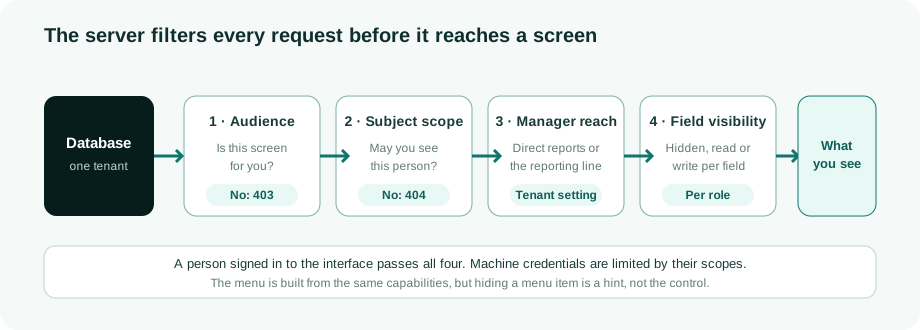
There is one source of truth: the platform's database. The interface holds no business data of its own; it asks the server for every screen. But what a screen shows is not the whole database. The server decides, for each request, which screens you may open, which people you may see and which of their fields, and the platform keeps a good deal more than any screen shows.
Three ways in, one database
| Client | How it authenticates | What it reaches |
|---|---|---|
| The web interface | A person's session after sign-in | The product API, filtered for that person |
| The machine API | An API credential with scopes | A separate gateway with a smaller set of endpoints. See API reference |
| The MCP server | OAuth on behalf of a person or an agent | Governed tools, decided per call. See Governing AI agents |
All three read the same data through the same services and the same tenant boundary (Tenant isolation), and each is checked on the server: a person by the four filters below, a machine credential by its scopes, and an MCP call by the decision taken on that call.
What the platform holds that no screen shows
- The raw source record behind each account, kept for drift detection and provenance.
- The evidence of every run: sync and reconciliation snapshots and logs.
- The audit chain and the configuration change log. See Evidence and signing.
- Secrets. Connector credentials are stored in the vault and never returned to the browser. With the tier-3 agent they never reach the control plane at all. The identities and accounts that sync reads do live in the control plane in every mode.
Values that depend on other data, such as a person's status, lifecycle stage or the label of their department, are computed by the server when you ask, so the interface never holds a stale copy of a rule.
The four filters
1. Audience: is this screen for you?
Screens and writes are gated on capabilities from one permission matrix, not on hand-written lists of role names. If the screen is not for you, the answer is 403. The menu you see is built from the same capabilities, but it is only a hint: hiding a menu item is not the control, the server is.
2. Subject scope: may you see this person?
Within a screen you may open, the server checks each person you ask for. You see a person when at least one of these holds:
- it is you;
- they are in your team as a manager;
- they hold something you own;
- a decision about them is waiting for you;
- your role oversees the tenant, such as administrators and auditors.
If none holds, the answer is 404, exactly as if the person did not exist. A 403 would confirm that they do. Lists apply the same rule as the detail page, so you cannot open someone the list would never show you.
3. Manager reach: how far down a manager sees
How far a manager's team reaches is a tenant setting: direct reports (the default, for data minimisation) or the whole reporting line. A person with two contracts is in the team of each manager who manages one of them; see Employments and multi-affiliation. The identity list says which reach it uses, and each row says why it is visible.
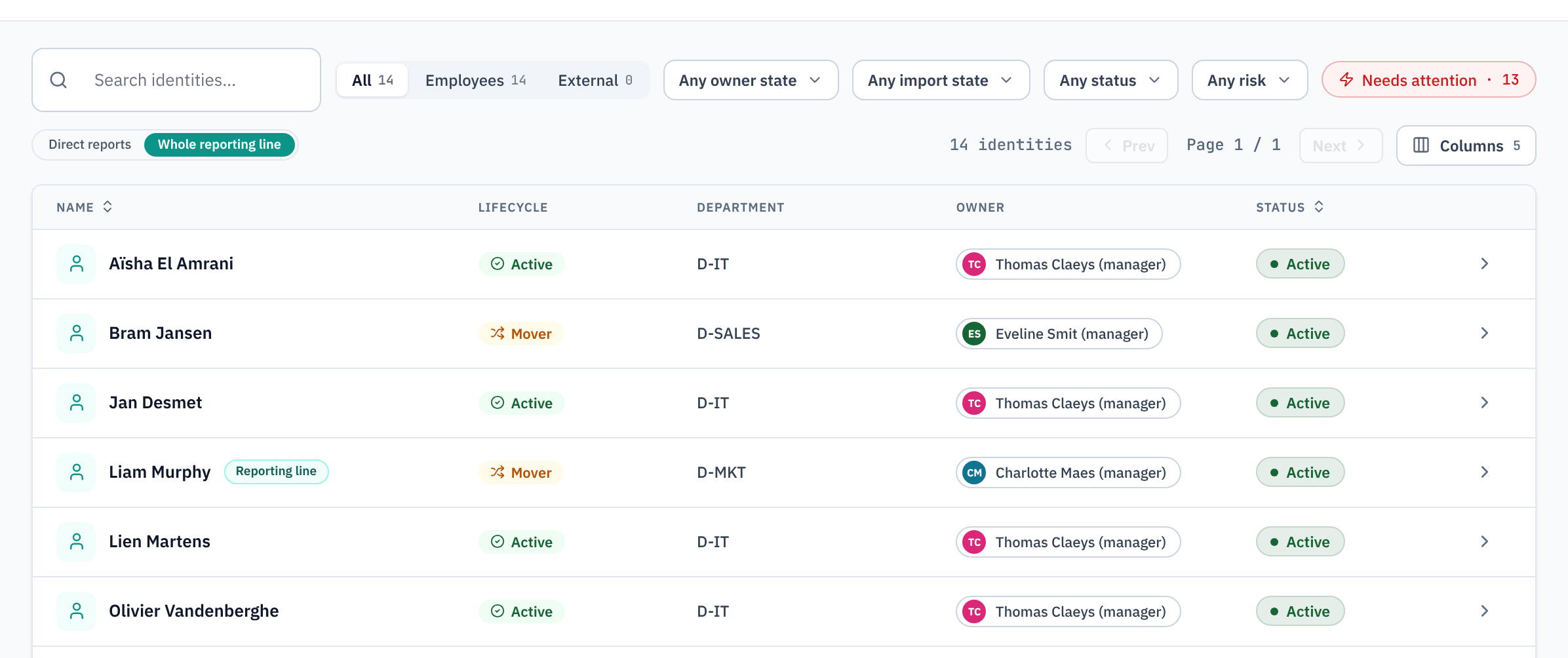
Seeing is not deciding. Who approves is decided by the approval step, not by who can see the person.
4. Field visibility: which fields of that person
An administrator sets, per role and per field, whether the field is hidden, read or write, with overrides per identity type. A field's sensitivity (public, internal, sensitive or personal data) sets its default. Where a person holds several roles, the most permissive level wins.
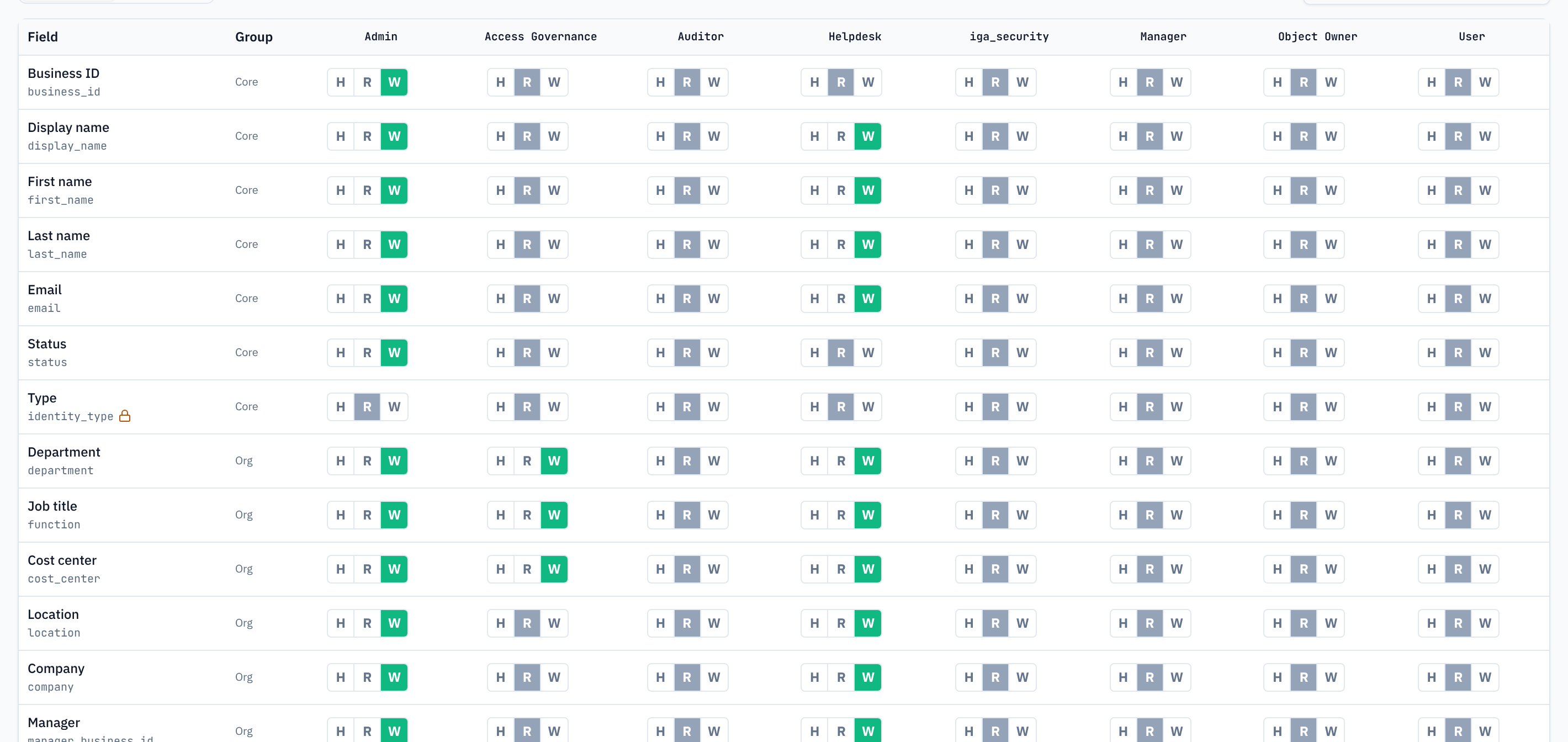
- Writes are checked on the server: a role cannot change a field it may only read.
- Reports and exports remove a hidden column from the file, not only from the screen. See Reporting.
- Manager reviews, reconciliation views, the access explorer and the Contexts over time card mask hidden fields on the server as well.
Related
- Tenant isolation: the boundary between tenants, and scoped roles for delegated administration.
- API access governance: how machine credentials are issued, scoped and rotated.
- The data model: what the data is.